
eCommerce Strategy
Complete guide to building eCommerce store in Framer without code (2026)
11 min read
Most Shopify stores hit a design ceiling they didn't see coming. Six specific limitations keep founders stuck — and page builders only make things worse. Here's where the real problem lives and what actually fixes it.
Shopify & Platform
10 min read
Let's start with what Shopify themes do well — because they do a lot right. They're quick to set up, they're connected to Shopify's commerce infrastructure, and most of them are mobile-responsive out of the box. For a founder who just wants to get products online and start selling, a Shopify theme gets the job done.
But there's a point — and most growing eCommerce brands hit it — where a Shopify theme stops being an asset and starts being a constraint. Where the gap between what your brand looks like in your head and what your store looks like on screen becomes frustrating enough to affect how you feel about your business.
This post is about that gap: where it comes from, why it matters, and what the real alternatives look like in 2025.
Shopify themes are built in a proprietary templating language called Liquid. Every Shopify theme — including premium paid themes — is a collection of Liquid files that define how your store looks and behaves. When you install a theme, you're installing a set of pre-written templates that Shopify renders with your product and store data.
The customization that Shopify exposes to non-developers is limited to what theme developers chose to make customizable: specific colors, fonts, some layout options, and the ability to show or hide certain sections. Everything outside of those settings requires editing Liquid files directly — which means knowing code, or hiring someone who does.
This isn't a flaw in Shopify's design — it's a deliberate trade-off. Themes are built to work for thousands of different stores simultaneously, which means they're built around the lowest common denominator. Flexibility enough for most, deep customization for nobody.
1. You Can't Add Sections That Don't Exist in the Theme
Every Shopify theme comes with a defined set of sections: a hero banner, a featured collections row, a testimonials block, and so on. If you want a section that doesn't exist in your theme — say, a split-screen product feature with a video loop, or an interactive quiz that routes to product recommendations — you can't add it without custom Liquid development.
Some page builder apps try to fill this gap, but they introduce their own limitations (more on that shortly).
2. Typography and Spacing Control Is Minimal
Most Shopify themes give you two or three font choices and a handful of size options. If you're building a brand with a specific typographic identity — custom font pairings, precise letter-spacing, deliberate line-height relationships — you'll hit the ceiling immediately. Getting fine-grained typographic control requires editing theme CSS files directly.
3. Product Pages Are Templates, Not Canvases
Every product in your store uses the same product page template. If you want a hero product to have a completely different layout than your accessory products — a rich editorial layout for your flagship item, a simpler grid for basics — that requires either multiple theme templates (a premium feature in some themes) or significant custom development.
4. Animation and Interaction Are Essentially Non-Existent
Modern premium brands use animation to communicate quality: subtle hover states, smooth scroll transitions, parallax effects, loading sequences. Shopify themes offer almost none of this natively. Adding custom animations requires JavaScript knowledge and careful integration with Shopify's theme architecture — another developer task.
5. Mobile Layouts Are Fixed
Responsive design in Shopify themes means 'it scales down to mobile.' It doesn't mean you have independent control over how elements stack, resize, or reorder on different screen sizes. If the mobile layout your theme produces isn't what you want, fixing it requires CSS overrides and potentially significant rework.
6. Every Change Feels Like a Risk
Experienced Shopify store owners know the anxiety of making changes to a live store. Edit the wrong section of a Liquid file and you can break things. Shopify's theme editor has improved with its 2.0 architecture, but the fundamental fragility of editing a production store is always present. There's no true sandbox environment where you can design freely and only push changes when you're confident.
Fact
The ceiling of a Shopify theme isn't just a design limitation — it's a business limitation. Every time you want something your theme can't do, you're choosing between compromising your vision and paying a developer.
Apps like Shogun, PageFly, and GemPages exist specifically to address the customization gap. They add a drag-and-drop editor on top of Shopify's theme system and give you more section types and layout options. For some stores, they're a reasonable intermediate solution.
But they have real limitations that become apparent at scale:
They add significant page weight, which slows your store down and hurts SEO and conversion rates. A page builder layer on top of a Shopify theme on top of Shopify's rendering engine is a lot of overhead.
Their design systems are still constrained. You're choosing from their available block types, not designing freely. The ceiling is higher than a basic theme but it's still very much there.
They create lock-in. Content built in Shogun doesn't translate to PageFly or to a future platform. If you want to switch, you start over.
They don't solve the product page problem. Page builders typically handle marketing pages — landing pages, collection pages, homepages — but product page templates remain in the theme.
They're another monthly subscription on top of everything else — often $30–100+ per month for the plans with meaningful functionality.
Page builders are a stopgap, not a solution. They solve the symptoms of the customization problem without addressing the underlying cause: that Shopify's theme architecture wasn't designed for brands that want true creative control.
This isn't a criticism of Shopify — it's an observation about what it was built to do. Shopify was built to make it easy to sell things online. The front-end experience was built to be functional and accessible, not to be a design canvas.
The brands that Shopify showcases as success stories — the ones with genuinely beautiful, distinctive storefronts — almost all have one thing in common: they have in-house developers or work with agencies who have built custom themes from scratch. The design quality you see at the top of the market isn't coming from Shopify's theme system. It's coming from custom development work.
For a founder who doesn't have a development team, that level of quality has historically been out of reach without a significant investment — typically $5,000 to $30,000 or more for a custom Shopify theme.
That dynamic is changing.
The approach that's gained serious traction in 2025 is headless commerce: keeping Shopify's commerce infrastructure intact while replacing the Shopify-hosted front-end with a purpose-built design environment.
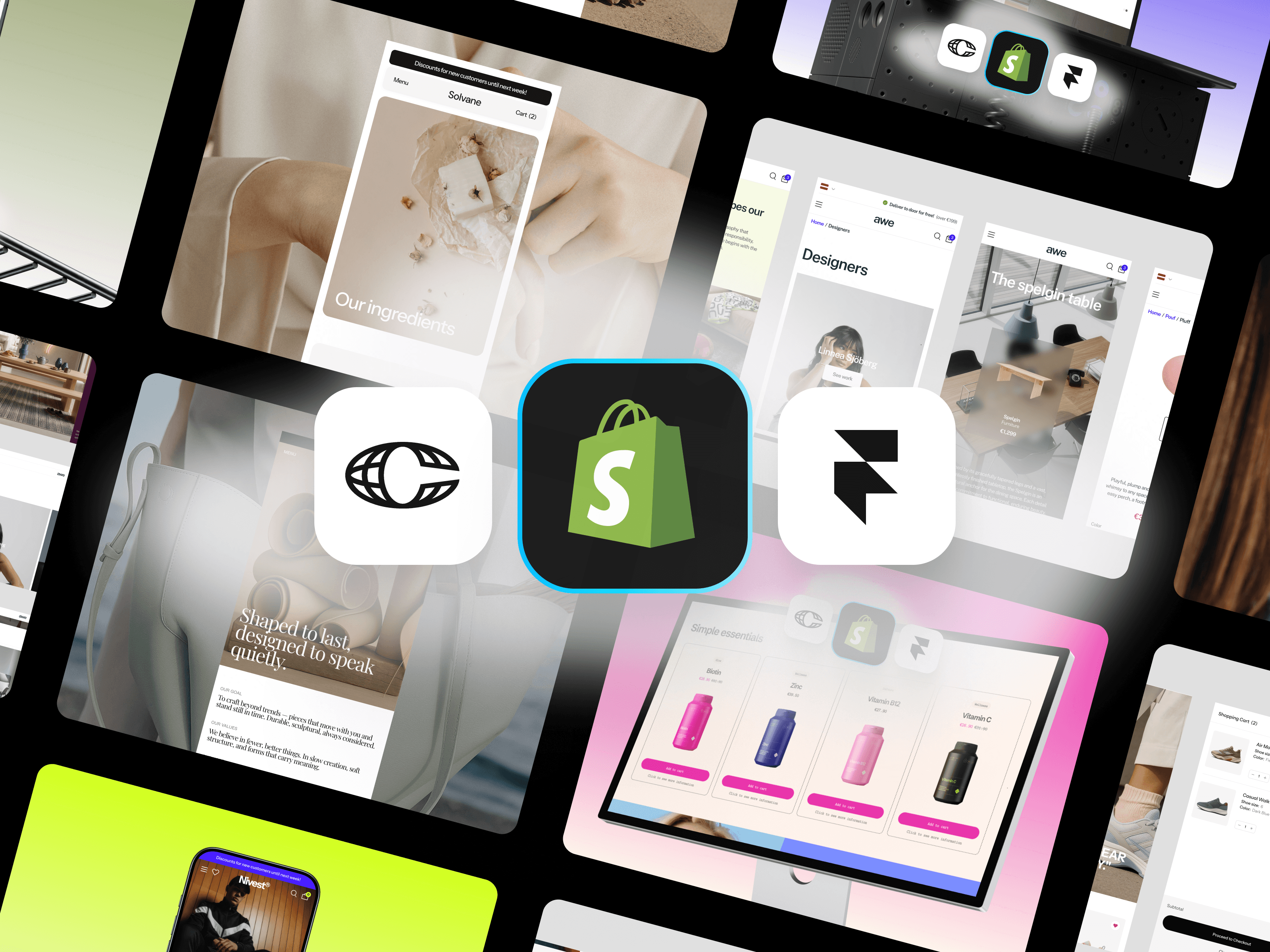
In practice, this means your store's visual experience is built and hosted in Framer — a professional visual design tool — while Shopify continues to manage your product catalog, checkout, payments, and order fulfillment behind the scenes.
The two systems connect via Framer Commerce, an integration that syncs your Shopify product data into Framer's CMS and provides pre-built commerce components (add-to-cart, variant selectors, cart management, checkout flow) that work natively within Framer's design environment.
What this gives you in practice:
Complete layout freedom — design any section, any page structure, any interaction, without touching code
Shopify's full commerce reliability — checkout, payments, inventory, and order management all continue working exactly as before
Visual editor control — make changes to your store in minutes, not development sprints
Performance that page builders can't match — Framer generates clean, fast, server-rendered HTML
SEO that competes with anything — clean markup, fast load times, full meta control
To make this concrete: imagine you're running a skincare brand on Shopify. Your current Dawn theme is fine — clean, functional — but it looks like a Shopify store. Your brand identity, the one you've built across Instagram and your packaging, doesn't come through.
With a Framer template connected to your Shopify store, you could have:
A homepage with a full-screen editorial hero, custom section layouts, and smooth scroll animations that feel nothing like a theme
Product pages designed around your hero products — with custom image galleries, ingredient callouts, before/after comparisons, and video integration
Collection pages with live filtering powered by your real Shopify data
A cart experience with upsell modules and discount incentives built into the design
Typography, spacing, and color that's precisely what you've designed — not what the theme allows
And crucially: you can make any of those changes yourself, in Framer's visual editor, without a developer, in the same afternoon you decide you want them.
The practical starting point is choosing a Framer eCommerce template that fits your brand category. Templates like the ones from Framlix are built on top of the Framer + Framer Commerce stack, pre-integrated and ready to connect to your existing Shopify store.
The process looks like this: buy the template, open it in Framer, connect your Shopify store via Framer Commerce, customize the design to match your brand, and publish. For a straightforward implementation, the entire process can be completed in days.
You don't need to migrate away from Shopify. Your existing store, products, orders, and customer data stay exactly where they are. You're just replacing the visual layer — the part customers see — with something you actually designed.
It's worth being straightforward about what this approach requires. You'll need Framer, Framer Commerce, and Shopify subscriptions — roughly $50–60 per month combined. You'll need to be comfortable in a visual design tool (Framer is accessible if you've used Figma or Canva, less so if you haven't touched design tools before). And some Shopify apps that interact with the front-end may need to be replaced or reconsidered.
For most growing eCommerce brands, these are minor adjustments compared to the alternative: continuing to compromise on design, or spending thousands on custom development.
Shopify themes served an important purpose. They made eCommerce accessible to founders who needed to move fast. But accessible and excellent are not the same thing. If you've built a brand that deserves better than a theme, the tools to get there now exist — and they don't require a developer.
Let's start with what Shopify themes do well — because they do a lot right. They're quick to set up, they're connected to Shopify's commerce infrastructure, and most of them are mobile-responsive out of the box. For a founder who just wants to get products online and start selling, a Shopify theme gets the job done.
But there's a point — and most growing eCommerce brands hit it — where a Shopify theme stops being an asset and starts being a constraint. Where the gap between what your brand looks like in your head and what your store looks like on screen becomes frustrating enough to affect how you feel about your business.
This post is about that gap: where it comes from, why it matters, and what the real alternatives look like in 2025.
Shopify themes are built in a proprietary templating language called Liquid. Every Shopify theme — including premium paid themes — is a collection of Liquid files that define how your store looks and behaves. When you install a theme, you're installing a set of pre-written templates that Shopify renders with your product and store data.
The customization that Shopify exposes to non-developers is limited to what theme developers chose to make customizable: specific colors, fonts, some layout options, and the ability to show or hide certain sections. Everything outside of those settings requires editing Liquid files directly — which means knowing code, or hiring someone who does.
This isn't a flaw in Shopify's design — it's a deliberate trade-off. Themes are built to work for thousands of different stores simultaneously, which means they're built around the lowest common denominator. Flexibility enough for most, deep customization for nobody.
1. You Can't Add Sections That Don't Exist in the Theme
Every Shopify theme comes with a defined set of sections: a hero banner, a featured collections row, a testimonials block, and so on. If you want a section that doesn't exist in your theme — say, a split-screen product feature with a video loop, or an interactive quiz that routes to product recommendations — you can't add it without custom Liquid development.
Some page builder apps try to fill this gap, but they introduce their own limitations (more on that shortly).
2. Typography and Spacing Control Is Minimal
Most Shopify themes give you two or three font choices and a handful of size options. If you're building a brand with a specific typographic identity — custom font pairings, precise letter-spacing, deliberate line-height relationships — you'll hit the ceiling immediately. Getting fine-grained typographic control requires editing theme CSS files directly.
3. Product Pages Are Templates, Not Canvases
Every product in your store uses the same product page template. If you want a hero product to have a completely different layout than your accessory products — a rich editorial layout for your flagship item, a simpler grid for basics — that requires either multiple theme templates (a premium feature in some themes) or significant custom development.
4. Animation and Interaction Are Essentially Non-Existent
Modern premium brands use animation to communicate quality: subtle hover states, smooth scroll transitions, parallax effects, loading sequences. Shopify themes offer almost none of this natively. Adding custom animations requires JavaScript knowledge and careful integration with Shopify's theme architecture — another developer task.
5. Mobile Layouts Are Fixed
Responsive design in Shopify themes means 'it scales down to mobile.' It doesn't mean you have independent control over how elements stack, resize, or reorder on different screen sizes. If the mobile layout your theme produces isn't what you want, fixing it requires CSS overrides and potentially significant rework.
6. Every Change Feels Like a Risk
Experienced Shopify store owners know the anxiety of making changes to a live store. Edit the wrong section of a Liquid file and you can break things. Shopify's theme editor has improved with its 2.0 architecture, but the fundamental fragility of editing a production store is always present. There's no true sandbox environment where you can design freely and only push changes when you're confident.
Fact
The ceiling of a Shopify theme isn't just a design limitation — it's a business limitation. Every time you want something your theme can't do, you're choosing between compromising your vision and paying a developer.
Apps like Shogun, PageFly, and GemPages exist specifically to address the customization gap. They add a drag-and-drop editor on top of Shopify's theme system and give you more section types and layout options. For some stores, they're a reasonable intermediate solution.
But they have real limitations that become apparent at scale:
They add significant page weight, which slows your store down and hurts SEO and conversion rates. A page builder layer on top of a Shopify theme on top of Shopify's rendering engine is a lot of overhead.
Their design systems are still constrained. You're choosing from their available block types, not designing freely. The ceiling is higher than a basic theme but it's still very much there.
They create lock-in. Content built in Shogun doesn't translate to PageFly or to a future platform. If you want to switch, you start over.
They don't solve the product page problem. Page builders typically handle marketing pages — landing pages, collection pages, homepages — but product page templates remain in the theme.
They're another monthly subscription on top of everything else — often $30–100+ per month for the plans with meaningful functionality.
Page builders are a stopgap, not a solution. They solve the symptoms of the customization problem without addressing the underlying cause: that Shopify's theme architecture wasn't designed for brands that want true creative control.
This isn't a criticism of Shopify — it's an observation about what it was built to do. Shopify was built to make it easy to sell things online. The front-end experience was built to be functional and accessible, not to be a design canvas.
The brands that Shopify showcases as success stories — the ones with genuinely beautiful, distinctive storefronts — almost all have one thing in common: they have in-house developers or work with agencies who have built custom themes from scratch. The design quality you see at the top of the market isn't coming from Shopify's theme system. It's coming from custom development work.
For a founder who doesn't have a development team, that level of quality has historically been out of reach without a significant investment — typically $5,000 to $30,000 or more for a custom Shopify theme.
That dynamic is changing.
The approach that's gained serious traction in 2025 is headless commerce: keeping Shopify's commerce infrastructure intact while replacing the Shopify-hosted front-end with a purpose-built design environment.
In practice, this means your store's visual experience is built and hosted in Framer — a professional visual design tool — while Shopify continues to manage your product catalog, checkout, payments, and order fulfillment behind the scenes.
The two systems connect via Framer Commerce, an integration that syncs your Shopify product data into Framer's CMS and provides pre-built commerce components (add-to-cart, variant selectors, cart management, checkout flow) that work natively within Framer's design environment.
What this gives you in practice:
Complete layout freedom — design any section, any page structure, any interaction, without touching code
Shopify's full commerce reliability — checkout, payments, inventory, and order management all continue working exactly as before
Visual editor control — make changes to your store in minutes, not development sprints
Performance that page builders can't match — Framer generates clean, fast, server-rendered HTML
SEO that competes with anything — clean markup, fast load times, full meta control
To make this concrete: imagine you're running a skincare brand on Shopify. Your current Dawn theme is fine — clean, functional — but it looks like a Shopify store. Your brand identity, the one you've built across Instagram and your packaging, doesn't come through.
With a Framer template connected to your Shopify store, you could have:
A homepage with a full-screen editorial hero, custom section layouts, and smooth scroll animations that feel nothing like a theme
Product pages designed around your hero products — with custom image galleries, ingredient callouts, before/after comparisons, and video integration
Collection pages with live filtering powered by your real Shopify data
A cart experience with upsell modules and discount incentives built into the design
Typography, spacing, and color that's precisely what you've designed — not what the theme allows
And crucially: you can make any of those changes yourself, in Framer's visual editor, without a developer, in the same afternoon you decide you want them.
The practical starting point is choosing a Framer eCommerce template that fits your brand category. Templates like the ones from Framlix are built on top of the Framer + Framer Commerce stack, pre-integrated and ready to connect to your existing Shopify store.
The process looks like this: buy the template, open it in Framer, connect your Shopify store via Framer Commerce, customize the design to match your brand, and publish. For a straightforward implementation, the entire process can be completed in days.
You don't need to migrate away from Shopify. Your existing store, products, orders, and customer data stay exactly where they are. You're just replacing the visual layer — the part customers see — with something you actually designed.
It's worth being straightforward about what this approach requires. You'll need Framer, Framer Commerce, and Shopify subscriptions — roughly $50–60 per month combined. You'll need to be comfortable in a visual design tool (Framer is accessible if you've used Figma or Canva, less so if you haven't touched design tools before). And some Shopify apps that interact with the front-end may need to be replaced or reconsidered.
For most growing eCommerce brands, these are minor adjustments compared to the alternative: continuing to compromise on design, or spending thousands on custom development.
Shopify themes served an important purpose. They made eCommerce accessible to founders who needed to move fast. But accessible and excellent are not the same thing. If you've built a brand that deserves better than a theme, the tools to get there now exist — and they don't require a developer.
Let's start with what Shopify themes do well — because they do a lot right. They're quick to set up, they're connected to Shopify's commerce infrastructure, and most of them are mobile-responsive out of the box. For a founder who just wants to get products online and start selling, a Shopify theme gets the job done.
But there's a point — and most growing eCommerce brands hit it — where a Shopify theme stops being an asset and starts being a constraint. Where the gap between what your brand looks like in your head and what your store looks like on screen becomes frustrating enough to affect how you feel about your business.
This post is about that gap: where it comes from, why it matters, and what the real alternatives look like in 2025.
Shopify themes are built in a proprietary templating language called Liquid. Every Shopify theme — including premium paid themes — is a collection of Liquid files that define how your store looks and behaves. When you install a theme, you're installing a set of pre-written templates that Shopify renders with your product and store data.
The customization that Shopify exposes to non-developers is limited to what theme developers chose to make customizable: specific colors, fonts, some layout options, and the ability to show or hide certain sections. Everything outside of those settings requires editing Liquid files directly — which means knowing code, or hiring someone who does.
This isn't a flaw in Shopify's design — it's a deliberate trade-off. Themes are built to work for thousands of different stores simultaneously, which means they're built around the lowest common denominator. Flexibility enough for most, deep customization for nobody.
1. You Can't Add Sections That Don't Exist in the Theme
Every Shopify theme comes with a defined set of sections: a hero banner, a featured collections row, a testimonials block, and so on. If you want a section that doesn't exist in your theme — say, a split-screen product feature with a video loop, or an interactive quiz that routes to product recommendations — you can't add it without custom Liquid development.
Some page builder apps try to fill this gap, but they introduce their own limitations (more on that shortly).
2. Typography and Spacing Control Is Minimal
Most Shopify themes give you two or three font choices and a handful of size options. If you're building a brand with a specific typographic identity — custom font pairings, precise letter-spacing, deliberate line-height relationships — you'll hit the ceiling immediately. Getting fine-grained typographic control requires editing theme CSS files directly.
3. Product Pages Are Templates, Not Canvases
Every product in your store uses the same product page template. If you want a hero product to have a completely different layout than your accessory products — a rich editorial layout for your flagship item, a simpler grid for basics — that requires either multiple theme templates (a premium feature in some themes) or significant custom development.
4. Animation and Interaction Are Essentially Non-Existent
Modern premium brands use animation to communicate quality: subtle hover states, smooth scroll transitions, parallax effects, loading sequences. Shopify themes offer almost none of this natively. Adding custom animations requires JavaScript knowledge and careful integration with Shopify's theme architecture — another developer task.
5. Mobile Layouts Are Fixed
Responsive design in Shopify themes means 'it scales down to mobile.' It doesn't mean you have independent control over how elements stack, resize, or reorder on different screen sizes. If the mobile layout your theme produces isn't what you want, fixing it requires CSS overrides and potentially significant rework.
6. Every Change Feels Like a Risk
Experienced Shopify store owners know the anxiety of making changes to a live store. Edit the wrong section of a Liquid file and you can break things. Shopify's theme editor has improved with its 2.0 architecture, but the fundamental fragility of editing a production store is always present. There's no true sandbox environment where you can design freely and only push changes when you're confident.
Fact
The ceiling of a Shopify theme isn't just a design limitation — it's a business limitation. Every time you want something your theme can't do, you're choosing between compromising your vision and paying a developer.
Apps like Shogun, PageFly, and GemPages exist specifically to address the customization gap. They add a drag-and-drop editor on top of Shopify's theme system and give you more section types and layout options. For some stores, they're a reasonable intermediate solution.
But they have real limitations that become apparent at scale:
They add significant page weight, which slows your store down and hurts SEO and conversion rates. A page builder layer on top of a Shopify theme on top of Shopify's rendering engine is a lot of overhead.
Their design systems are still constrained. You're choosing from their available block types, not designing freely. The ceiling is higher than a basic theme but it's still very much there.
They create lock-in. Content built in Shogun doesn't translate to PageFly or to a future platform. If you want to switch, you start over.
They don't solve the product page problem. Page builders typically handle marketing pages — landing pages, collection pages, homepages — but product page templates remain in the theme.
They're another monthly subscription on top of everything else — often $30–100+ per month for the plans with meaningful functionality.
Page builders are a stopgap, not a solution. They solve the symptoms of the customization problem without addressing the underlying cause: that Shopify's theme architecture wasn't designed for brands that want true creative control.
This isn't a criticism of Shopify — it's an observation about what it was built to do. Shopify was built to make it easy to sell things online. The front-end experience was built to be functional and accessible, not to be a design canvas.
The brands that Shopify showcases as success stories — the ones with genuinely beautiful, distinctive storefronts — almost all have one thing in common: they have in-house developers or work with agencies who have built custom themes from scratch. The design quality you see at the top of the market isn't coming from Shopify's theme system. It's coming from custom development work.
For a founder who doesn't have a development team, that level of quality has historically been out of reach without a significant investment — typically $5,000 to $30,000 or more for a custom Shopify theme.
That dynamic is changing.
The approach that's gained serious traction in 2025 is headless commerce: keeping Shopify's commerce infrastructure intact while replacing the Shopify-hosted front-end with a purpose-built design environment.
In practice, this means your store's visual experience is built and hosted in Framer — a professional visual design tool — while Shopify continues to manage your product catalog, checkout, payments, and order fulfillment behind the scenes.
The two systems connect via Framer Commerce, an integration that syncs your Shopify product data into Framer's CMS and provides pre-built commerce components (add-to-cart, variant selectors, cart management, checkout flow) that work natively within Framer's design environment.
What this gives you in practice:
Complete layout freedom — design any section, any page structure, any interaction, without touching code
Shopify's full commerce reliability — checkout, payments, inventory, and order management all continue working exactly as before
Visual editor control — make changes to your store in minutes, not development sprints
Performance that page builders can't match — Framer generates clean, fast, server-rendered HTML
SEO that competes with anything — clean markup, fast load times, full meta control
To make this concrete: imagine you're running a skincare brand on Shopify. Your current Dawn theme is fine — clean, functional — but it looks like a Shopify store. Your brand identity, the one you've built across Instagram and your packaging, doesn't come through.
With a Framer template connected to your Shopify store, you could have:
A homepage with a full-screen editorial hero, custom section layouts, and smooth scroll animations that feel nothing like a theme
Product pages designed around your hero products — with custom image galleries, ingredient callouts, before/after comparisons, and video integration
Collection pages with live filtering powered by your real Shopify data
A cart experience with upsell modules and discount incentives built into the design
Typography, spacing, and color that's precisely what you've designed — not what the theme allows
And crucially: you can make any of those changes yourself, in Framer's visual editor, without a developer, in the same afternoon you decide you want them.
The practical starting point is choosing a Framer eCommerce template that fits your brand category. Templates like the ones from Framlix are built on top of the Framer + Framer Commerce stack, pre-integrated and ready to connect to your existing Shopify store.
The process looks like this: buy the template, open it in Framer, connect your Shopify store via Framer Commerce, customize the design to match your brand, and publish. For a straightforward implementation, the entire process can be completed in days.
You don't need to migrate away from Shopify. Your existing store, products, orders, and customer data stay exactly where they are. You're just replacing the visual layer — the part customers see — with something you actually designed.
It's worth being straightforward about what this approach requires. You'll need Framer, Framer Commerce, and Shopify subscriptions — roughly $50–60 per month combined. You'll need to be comfortable in a visual design tool (Framer is accessible if you've used Figma or Canva, less so if you haven't touched design tools before). And some Shopify apps that interact with the front-end may need to be replaced or reconsidered.
For most growing eCommerce brands, these are minor adjustments compared to the alternative: continuing to compromise on design, or spending thousands on custom development.
Shopify themes served an important purpose. They made eCommerce accessible to founders who needed to move fast. But accessible and excellent are not the same thing. If you've built a brand that deserves better than a theme, the tools to get there now exist — and they don't require a developer.

No code required
No code required
Best eCommerce templates
Best eCommerce templates
Fast and direct help
Fast and direct help

Creator of Framlix
Digital designer with 4+ years of experience in branding, web, and UI. Former London design studio. Now at Framer Commerce — and building Framlix, high-quality Framer e-commerce templates with native Shopify integration.
All articles
eCommerce Strategy
11 min read
Tools & Reviews
11 min read
Tutorials & How-To
12 min read
Templates & Inspiration
14 min read